Changelog

0.8.0

Athas 0.8.0

1w ago

Introducing Notebooks

Athas now supports notebooks.

You can open .ipynb files directly, open .Rmd files with markdown previews, and get syntax highlighting for .Rmd, .ipy, and .R.

All changes

Full changelog: Compare changes

0.5.0

Athas 0.5.0

May 5, 2026

Editor, LSP, Git, Linux runtime, and workspace improvements from the v0.5 release.

Editor and LSP improvements

  • Add Nix syntax highlighting and Zig syntax capture updates.
  • Render LSP semantic tokens, CodeLens actions, signature help, inlay hints, rename preparation, and workspace edits more reliably.
  • Fix editor cursor scroll sync, token retargeting, inlay hint alignment, diagnostics cleanup, and stateful buffer eviction.
  • Wire editor context menu actions and improve editor scroll behavior.

Git and workspace workflow

  • Polish stash lists and centralize search matching.
  • Improve Git sidebar workflows, responsive layout, tree guide rendering, and stash opening behavior.
  • Add multi-root workspace folder management and preserve terminal sessions across tab moves.
  • Stabilize workspace lifecycle and project tab behavior.

Linux and release packaging

  • Add Linux CEF runtime/build workflow support and runtime paths.
  • Simplify release packaging, fix Linux tarball verification, and fix Linux release CLI install.
  • Improve Linux folder picker, IPC fallbacks, microphone error handling, and CEF window behavior.

UI and extension polish

  • Refine sidebar activity rail layout and polish editor/chat controls.
  • Add multi-agent chat controls and move AI account controls to the title bar.
  • Activate theme extension contributions and improve marketplace category handling.
  • Add custom autocomplete provider support.

Full release notes

See the full generated release notes on GitHub.

0.4.6

Refined Settings

Apr 27, 2026

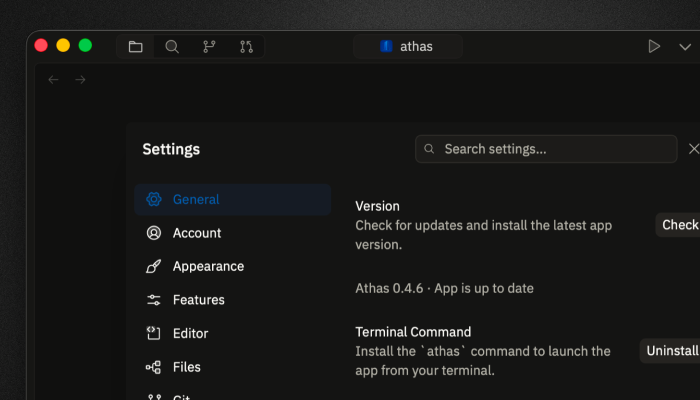
Settings are now easier to use with new keybindings and small tweaks that will make you feel home.

Settings feel more complete

We got rid of the bloat! Settings now feel closer to a real control center, but it's pretty simple to navigate it. Cleaner rows, better selectors, import and export, appearance controls, sidebar preferences, UI font sizing, and keybinding improvements that are easier to scan and edit.

Settings panel with refined controls

Sticky folders

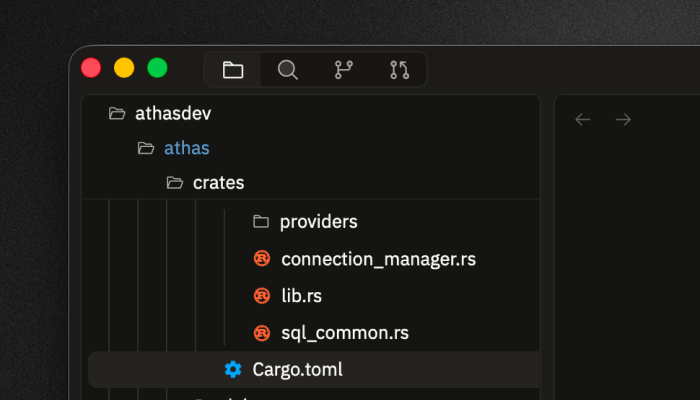
Filtering, row actions, git status, compact folders, visibility controls, drag targets, folder whitespace actions, and sticky parent folders make larger projects feel less noisy and faster to navigate.

File tree with filtering and compact folders

Refined agent input

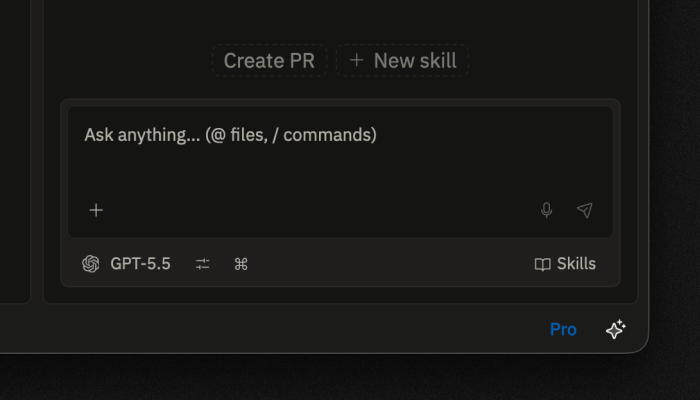
Skills now live inside the extensions system. Input is now much cleaner with new controls. Agent activity is folded into a calmer conversation flow instead of filling the screen with internal events.

Agent conversation with compact controls

Editor work feels steadier

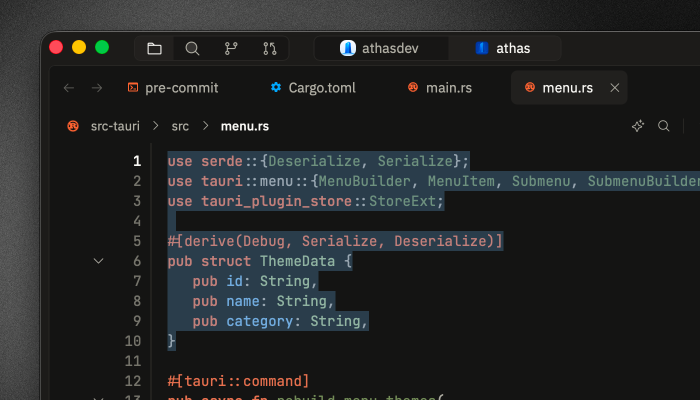
We fixed a bunch of issues on editor. Selecting now feel better and intuitive.

Editor workspace with steadier daily workflow

0.4.5

Introducing Worktrees

Apr 11, 2026

What's new

Language servers, fully heard: Type hints drift in beside your variables, parameter help appears the moment you open a paren, and if the server crashes, Athas quietly picks it back up.

Hit the mic: Talk to the agent instead of typing.

Introducing Worktrees: A new panel in the Git sidebar, right beside changes and stashes.

Remote, without the detour: Connect to a remote host and it opens as a project tab — browse, edit, and switch the same way you do locally.

Extended CLI commands: athas web, athas terminal, athas remote. Three small doors into the editor.

What we fixed

Git feels calmer

fetch, push, and pull no longer freeze the editor while they run. The git actions menu always stays on screen, the gutter updates smoothly on Linux, and the pull request viewer works on older gh CLIs.

The editor stays out of your way

Inline edit has a proper toolbar and a rebindable Cmd+I. Shortcut chips everywhere in the app update the moment you change a keybinding. Pane fullscreen stops killing the terminal inside it, and the tab bar is there even when you've closed everything.

Terminal, less fussy

Profiles and shell selection, proper paste, ANSI codes out of tab titles, and Cmd+W focusing the right thing.

Small good things

Svelte highlighting. A rebuilt SQLite viewer. A warmer first-run onboarding and an in-app What's New tab after updates. Telemetry off by default. Signed Windows builds with SHA256 checksums alongside every release.

Thanks

@Finesssee, @Lyapsus, and @ChristmasSun— thank you for this cycle.

0.4.4

Syntax highlighting hotfix

Mar 6, 2026

Syntax highlighting was silently broken in all production builds since v0.4.0. A security hardening change removed the CSP permission needed for WebAssembly, which prevented tree-sitter parsers from loading. This release restores it.

0.4.3

Problems pane, CLI opening, and model selector redesign

Mar 6, 2026

Highlights

  • New Problems pane that surfaces diagnostics with quick actions — click a warning or error to jump to the source, or apply a code action right from the pane
  • Open files and folders straight from the terminal with athas foo.txt or athas ., and deep links via athas://open
  • The AI model selector has been completely redesigned into a single unified dropdown with inline API key and Ollama URL editors, provider icons, and full-width search across all providers
  • Adjustable UI font size in Settings > Appearance — scales text and icons across the entire interface
  • You can now create new files with Ctrl+N even when no folder is open

Improvements

  • Default AI provider is now Anthropic Claude Sonnet 4.5
  • Language extension installs use bundled parser assets instead of fetching from CDN
  • "Go to File" has been renamed to "Quick Open" everywhere
  • XML-family files (xml, xsl, xslt, svg, plist) now get syntax highlighting
  • Sticky line numbers in file preview so they stay visible while scrolling

Bug Fixes

  • Language servers now properly activate after installation on Linux
  • Switching between files no longer causes stale highlighting, wrong cursor positions, or scroll jumps
  • Syntax highlighting works correctly after updating from older versions (stale cache issue)
  • File drops work reliably on Windows, and file tree lag on large repos is reduced
  • Terminal fonts render correctly on Windows with platform-aware fallbacks
  • GitHub PR menu correctly detects expired tokens instead of showing a cryptic error
  • Menus close properly when clicking outside on Windows
  • macOS text replacements now work in the terminal
  • Diff viewer hunk accordions actually toggle when clicked
0.4.2

Search, binary previews, and editor refinements

Mar 3, 2026

This release brings syntax-highlighted file previews to global search, a new binary file viewer, accordion-style Git pane sections, and bundled tree-sitter parsers for more reliable syntax highlighting.

Added

  • Syntax-highlighted file preview in global search
  • Binary file viewer with WASM metadata and hex preview
  • Binary file preview in command bar and global search
  • SQLite file support in binary preview
  • SQL language support
  • Framer-motion animations for dropdowns, modals, and command bar

Changed

  • Rename command bar to quick open
  • Replace Prism with tree-sitter for markdown code block highlighting
  • Bundle tree-sitter parsers and remove CDN fallback
  • Rebuild all tree-sitter parsers from source to fix WASM ABI mismatch
  • Implement accordion layout for Git pane sections
  • Make stash and history panels mutually exclusive
  • Remove sidebar search pane in favor of global search dialog
  • Extract runtime and tools into workspace packages
  • Replace window zoom with component-level zoom

Fixed

  • Fix syntax highlighting for YAML and JSX
  • Fix Git pane layout: fill available space, reduce gaps, hide scrollbars
  • Fix file/folder dialog extending beyond screen
  • Fix release CI failures for Linux builds
  • Skip AppImage bundling on Linux to fix linuxdeploy failure
0.4.1

Workflow quality and stability improvements

Mar 2, 2026

This release improves day-to-day editing and Git workflows, strengthens ACP tool/runtime handling, and fixes key edge cases in parser behavior, inline editing, and macOS autofill behavior.

Added

  • Manual Git repository selection
  • Improved ACP tool detection for Go/Cargo-managed runtimes

Changed

  • Improved AI chat, workspace, editor tabs, terminal, and Git workflows
  • Reorganized documentation and merged setup/release guidance into a single Contributing page
  • Updated docs links (sidebar/footer, install paths, and Edit on GitHub targets)

Fixed

  • Parser query compatibility and fallback handling for unsupported predicates
  • Inline edit and AI message rendering edge cases
  • File explorer handling for .DS_Store files
  • macOS autofill heuristic handling reliability
0.4.0

Authentication, AI, and extension platform foundations

Feb 19, 2026

Added

  • Add authentication
  • Add split view editor panes and new tab view
  • Add planning mode in the AI agent pane
  • Add runtime language catalog with CDN deploy pipeline
  • Add .editorconfig integration
  • Add file copy/cut/paste with cross-window clipboard sharing
  • Add minimap toggle setting with keyboard shortcut
  • Add keyboard shortcuts for web viewer
  • Add find/replace, minimap, and multi-cursor improvements
  • Add Lua and Rust language support with runtime tooling infrastructure

Changed

  • Revamp Git interface and refactor git module internals
  • Merge TSX into TypeScript extension flow in marketplace and installer
  • Drive Ruby/ERB detection from extension metadata
  • Refresh theme system and align terminal and UI styling
  • Improve AI chat UI and ACP protocol integration
  • Modularize editor styles into feature-based modules
  • Move docs to Fumadocs and refresh documentation workflows
  • Remove bundled language extensions in favor of manifest-driven installs
  • Remove GitHub Copilot integration

Fixed

  • Fix memory leaks, reduce I/O overhead, and improve editor/runtime performance
  • Fix deploy workflow safe.directory handling and dirty worktree pull behavior
  • Fix editor view reset when switching to uncached files
  • Fix tab sync, hover lifecycle, and open-file reliability
  • Fix language extension installation and update flow
  • Fix find-in-file navigation and highlight positioning
  • Fix extension store persistence for installed extensions
  • Fix app freeze on large commit diffs
  • Fix terminal toggle keybinding on macOS
  • Fix viewport behavior with zoom-level adjustments
  • Fix right sidebar slow open when terminal is active
  • Fix tokenizer bypass by validating extension installation state
  • Fix broken links on docs index

Security

  • Apply desktop auth and autocomplete security hardening with additional tests
0.3.2

Release 0.3.2

Jan 13, 2026

Added

  • Native PDF viewer with external open support
  • CSV viewer as built-in extension
  • HTML/CSS live preview with asset protocol support
  • Preview mode for file tabs
  • Auto-refresh for externally created/deleted files
  • In-app report a bug button
  • Drag and drop to open folders as projects and files as buffers
  • Test connection button and feedback for SSH connections
  • Configurable command bar file limit and improved fuzzy search
  • Cmd+hover definition link highlighting
  • Jump list navigation
  • Performance monitoring system

Changed

  • Virtualize file tree for better performance
  • Optimize editor rendering
  • Improve PDF and image zoom controls
  • Improve autocompletion behavior and LSP completion
  • Remove Rust from bundled registry

Fixed

  • Fix scroll position bugs in editor
  • Fix file tree git status not updating on save
  • Fix nvim cursor in normal and insert mode
  • Fix terminal corruption with multi-byte UTF-8 characters
  • Fix search highlighting in editor
  • Fix command palette not finding all files
  • Prevent command injection in SSH fallback commands
  • Fix git blame not appearing after file switch
  • Fix duplicate LSP server creation due to race condition
  • Fix gap between sticky headers in file tree
  • Preserve scroll position when switching between buffers
  • Fix window resize on Linux
  • Disable problematic DMABUF renderer on Linux
  • Fix stored XSS in markdown parser by sanitizing HTML output
  • Bundle FreeType in Linux AppImage for older distro compatibility
  • Fix incorrect bundled LSP path on Linux
  • Fix git blame not showing after scrolling
  • Fix tokenization lag and visual flashing during typing
0.3.1

Release 0.3.1

Dec 22, 2025

Fixed

  • Fix Windows build by correcting CLI module imports
0.3.0

Release 0.3.0

Dec 22, 2025

Added

  • Ollama support for local AI models
  • ACP (Agent Client Protocol) integration with session modes
  • GitHub pull request integration with checklist rendering
  • Project picker dialog for workspace management
  • Web viewer for browsing URLs in editor
  • Extension system core architecture with bundled extensions
  • Syntax highlighting in diff viewer
  • Markdown syntax highlighting
  • Terminal font settings customization
  • Advanced model selector dropdown in AI chat
  • ARIA accessibility descriptors for menus and tabs
  • Persistent commands feature
  • SSH key authentication with multiple key fallback
  • Open File in Editor feature for AI agent
  • Slider component and Christmas theme
  • Pre-release check script for validating releases

Changed

  • Replace expandable commits with hover previews in source control
  • Improve LSP integration with diagnostics
  • Improve scrollbar design
  • Auto-refresh Source Control when view becomes active
  • Add 1 second delay before showing git blame popover
  • Refactor theme system
  • Extend Gemini API support

Fixed

  • Fix LSP popup position
  • Fix editor viewport and line alignment bugs
  • Fix terminal font rendering for Nerd Fonts
  • Fix context menu positioning
  • Fix sticky folder background transparency in file tree
  • Fix workspace reset and terminal persistence
  • Fix drag region for window on macOS
  • Fix autosave functionality and dirty state logic
  • Fix traffic lights for macOS 26
  • Fix LSP for JavaScript/TypeScript files
0.2.6

Release 0.2.6

Dec 4, 2025

Added

  • Auto-update system with GitHub Releases integration
  • Markdown preview button in editor toolbar
  • Deep link support (athas:// protocol)
  • Linting service with Tauri backend support
  • Symlink support for file explorer and icon themes
  • Keymaps feature with customizable keyboard shortcuts
  • External editor support
  • Right-click context menu in editor
  • Code folding in gutter
  • xAI Grok models support
  • Gemini 3 Pro Preview support
  • Settings search functionality
  • Storybook for UI development and testing

Changed

  • Migrate to tree-sitter-web for syntax highlighting
  • Migrate AI chat history to SQLite
  • Refactor terminal module and fix auto-create behavior
  • Refactor AI chat UI
  • Improve LSP client and configuration
  • Improve formatter service
  • Improve extension system with on-demand architecture

Fixed

  • Fix editor rendering and extension install UX
  • Fix command bar not triggering
  • Fix scrolling issues
  • Fix Git Blame and other git issues
  • Fix line numbers not showing up on big files
  • Fix highlighter initialization after extension installation
  • Fix HighlightLayer memo bug
  • Fix editor selections
  • Fix cursor position restoration and tab switching conflicts
0.2.4

Release 0.2.4

Nov 8, 2025

Added

  • Project tabs for multi-workspace support

Changed

  • Organize files by feature (vertical slice architecture)
  • Refactor editor and fix overall issues

Fixed

  • Fix Windows build errors in CLI and search commands
  • Fix git status rows for nested paths and stage directories correctly

Removed

  • Remove welcome screen and CLI install prompt
0.2.2

Release 0.2.2

Oct 30, 2025

Added

  • Release automation system
  • Certificate import and notarization for macOS in GitHub Actions

Changed

  • Vim enhancements
0.2.1

Release 0.2.1

Oct 29, 2025

Added

  • Code signing for macOS
  • New AI models and BYOK (Bring Your Own Key) settings
  • Image preview and toolbar
  • Extension support for syntax highlighting
  • CLI command installation feature
  • Setting toggles in command palette

Changed

  • Improve UX in switching projects
  • Make git inline blame popup more compact

Fixed

  • Fix welcome screen theme responsiveness for light mode
  • Fix viewport ref for scrolling
  • Fix syntax highlighting initialization
  • Fix intrusive UI on the code editor
  • Fix traffic light position for macOS
0.1.2

Release 0.1.2

Oct 19, 2025

Added

  • Markdown preview
  • Icon themes
  • Multiple AI agents
  • Individual zoom for editor, terminal, and window
  • Vim commands
  • Shortcut for color theme selector
  • Shortcut to kill terminal process

Changed

  • Improve SQLite viewer
  • Refactor cursor styles for Vim mode

Fixed

  • Fix editor syntax and search highlighting
  • Fix Vim mode issues
  • Fix agent dropdowns
  • Fix editor scrolling
0.1.1

Release 0.1.1

Aug 27, 2025

Added

  • Git blame functionality with inline display and hover details
  • Password prompt dialog for SSH connections
  • Lines and columns information in footer
  • Integrated menu bar with toggle option
  • Global search shortcuts
  • Keyboard shortcuts to text editor
  • Code formatting feature
  • Move line up/down functionality
  • Cursor position restoration when switching files
  • Highlight search results and click-to-jump
  • Shell switching support
  • Close editor tabs with middle click

Changed

  • Enhance remote connection handling
  • Improve text selection handling
  • Improve command bar performance
  • Refactor clipboard utilities to use Tauri clipboard manager

Fixed

  • Fix Linux menu bar UI
  • Fix zooming issues
  • Fix context menu positioning when zoomed
  • Fix completion dropdown not hiding after acceptance
  • Fix auto-pairing logic
0.1.0

Release 0.1.0

Aug 12, 2025

Initial release